Run the whole community, without the paper trail.
MyHOA is HOA management software for associations and club communities. Work orders, violations, inspections, architectural requests, gate access and voting in one system. Staff work from the web or the phone, and owners follow every request themselves instead of calling the office.
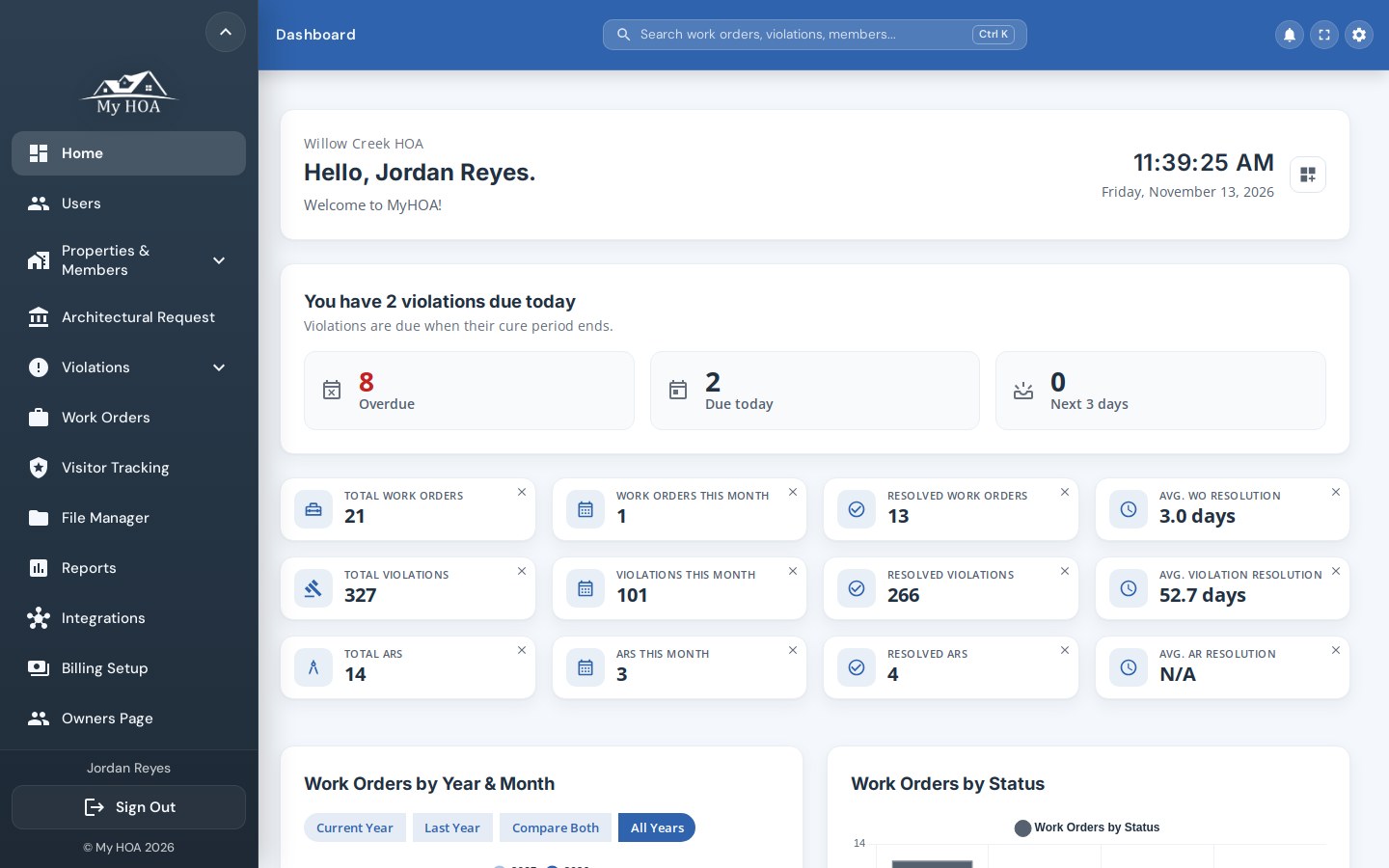
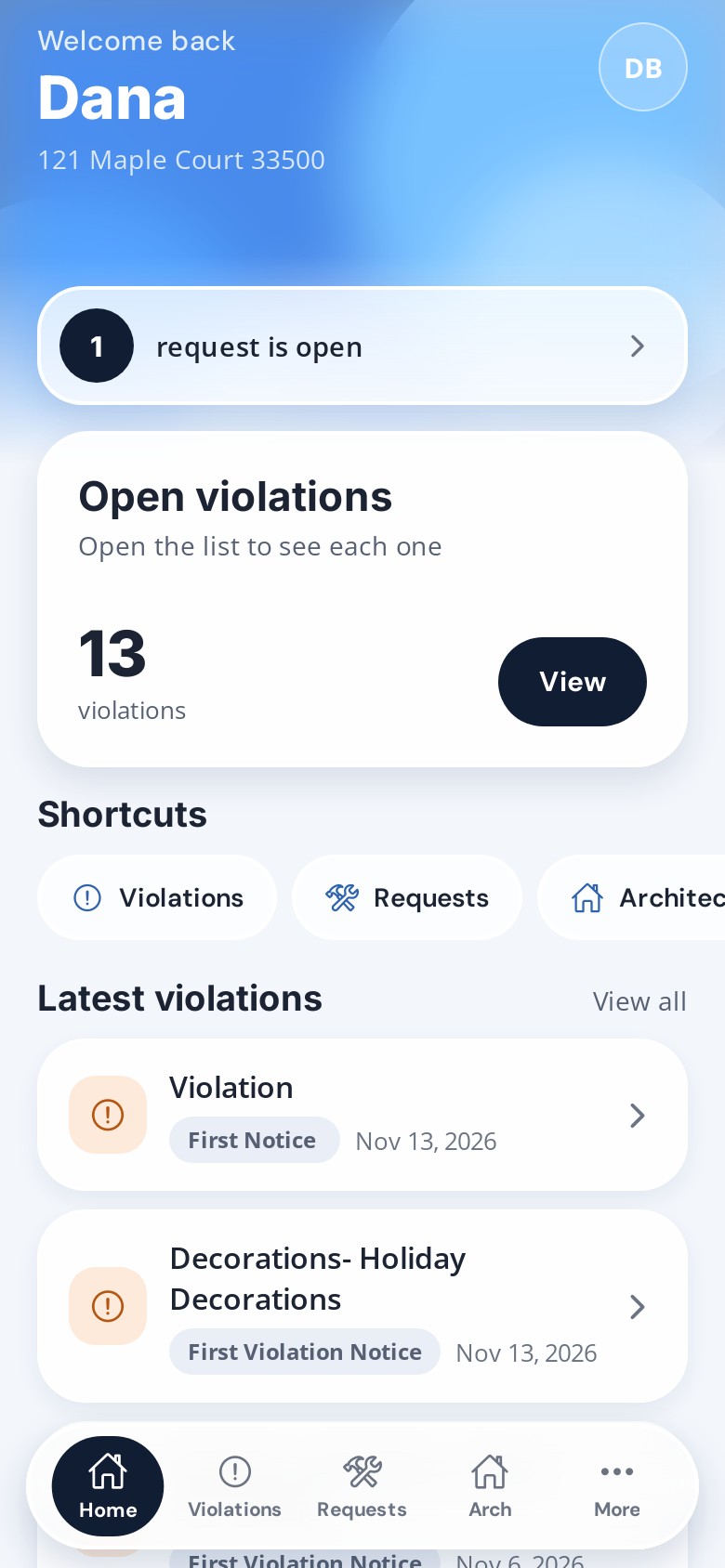
Screens on this site show sample data from a demonstration community.
Technology for well-run communities
Everything an association needs to handle requests, enforce its rules fairly and keep owners informed, from the first photo to the final letter.
Work orders
Owners submit a request with photos. Staff assign, schedule visits, add materials and billing, and the owner sees each update.
Learn more →Violations and letters
Inspect in the field, send a notice, escalate on a schedule, apply fines and keep a clear record for the board.
Learn more →Architectural requests
Owners submit plans and photos and track the review. The committee approves, asks for changes or declines in the same place.
Learn more →Phone app
Owners follow requests and staff inspect on the go. Photos upload from the phone and updates arrive as notifications.
Learn more →Gate and visitors
Owners pre-approve guests and deliveries. Guards check people in and out, and staff review the visitor and vehicle history.
Learn more →Online voting
Run board elections and ballots with member invites, one vote per owner, and results that are revealed when the vote closes.
Learn more →Governing documents
Keep the CC&Rs in one place. Optionally, owners can ask questions and staff get suggested rules for review. Off until you turn it on.
Learn more →Linked to Jonas
Member records come from Jonas Club Management, and violation and work order charges go back with the right billing codes.
Learn more →Roles, 2-step sign-in, history
Choose who can see and do what, require an authenticator code, and see who changed what and when.
Learn more →Inspections
Walk a route, mark each home compliant or record a violation with photos, then deliver the notices from one screen.
Learn more →Live map
See open violations and work orders on a map, find the nearest homes, and see which inspectors are out and where.
Learn more →Due dates and reminders
See what is overdue, due today and coming up. Staff get a daily digest and owners get reminders before a deadline.
Learn more →Owner portal
Every owner has their own sign-in to follow violations, requests and documents, on the website and in the phone app.
Learn more →Reports and dashboard
See what is open, overdue and how long things take. Filter by property, status, type or date, and export for the board.
Learn more →Search
One search box finds properties, owners, violations and work orders. Owners only ever find their own information.
Learn more →Report once. Follow it through. Close it out.
The same record is seen by the owner, the staff member and the board, each with the view their role allows.
Notice, follow up and fine, on a schedule you set.
Record a violation on the spot, with photos. The first notice goes out as a letter and an e-mail, and the next steps happen when you decide they should.
- Letters generated from your own templates, with the photos attached
- Escalation rules and automatic fines with the timing you choose
- Owners reply with a photo and see the status without calling
- Charges go to billing once, with no double billing
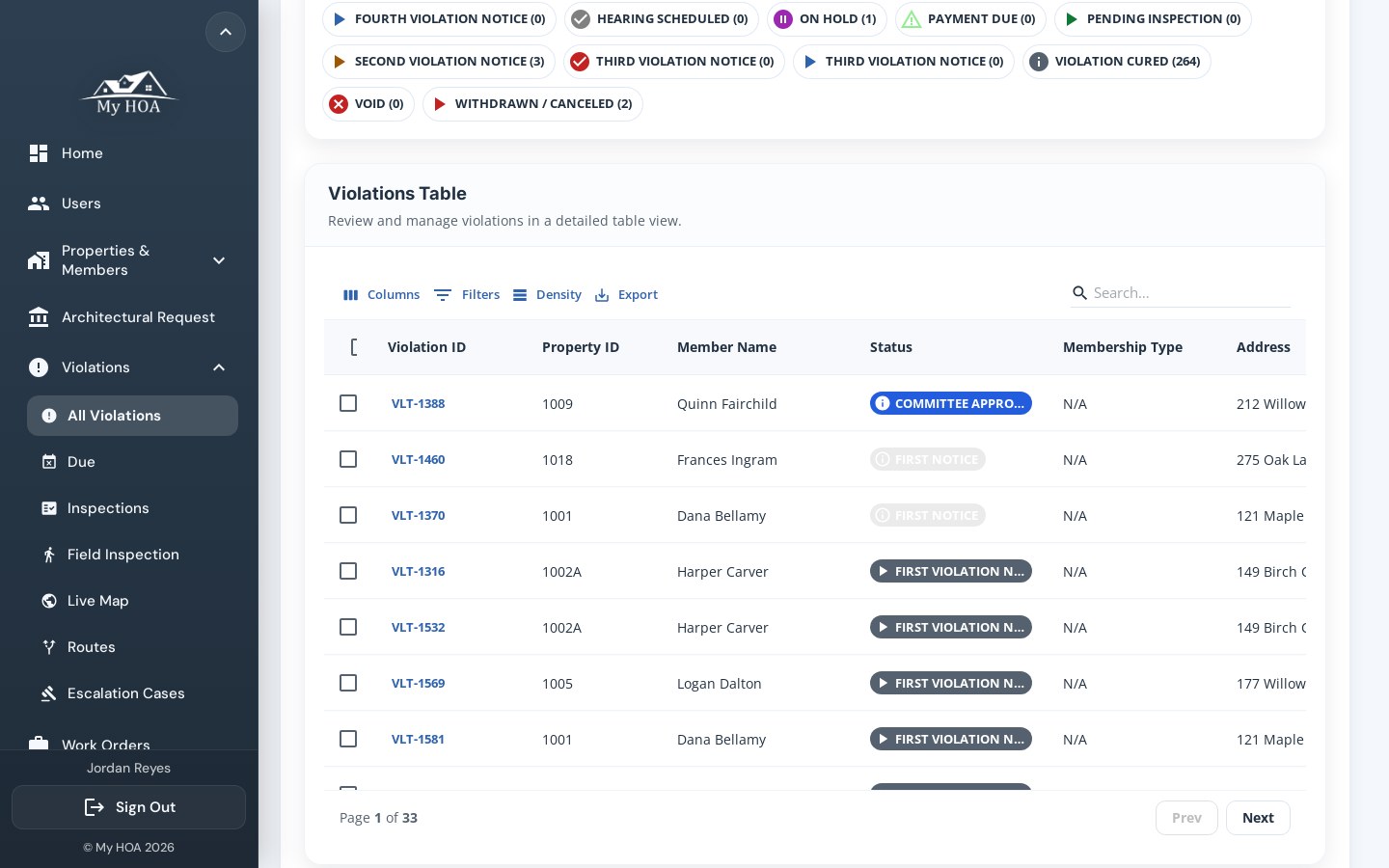
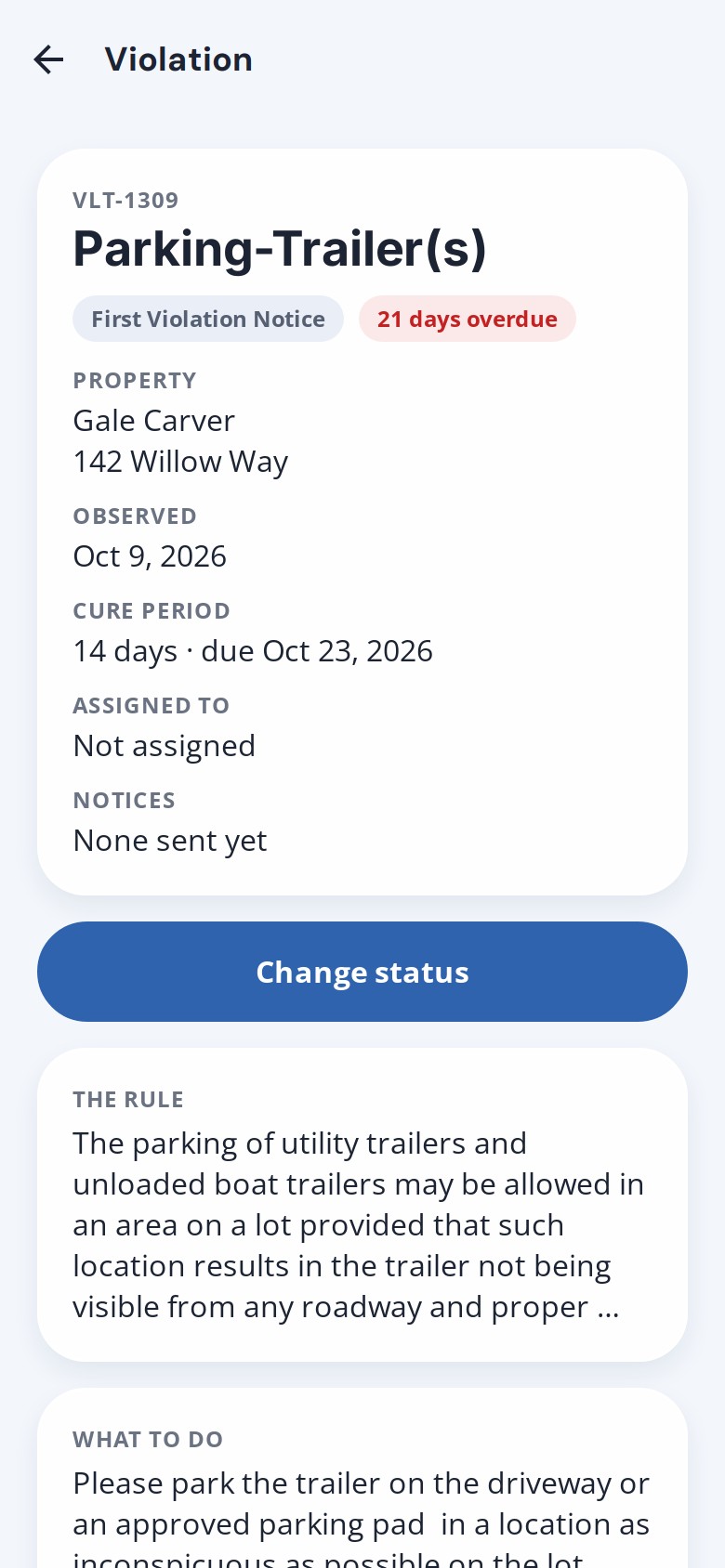
Know what is overdue, due today and coming up.
Every violation has a cure period. The dashboard, the Due list and the phone all show the same counts, so nothing waits until someone remembers it.
- Overdue, due today and coming up, for everyone or only your own
- A daily digest for staff and reminders for owners before a deadline
- Repeat violations count up and can escalate to the board
- Every status change is kept in the record’s history
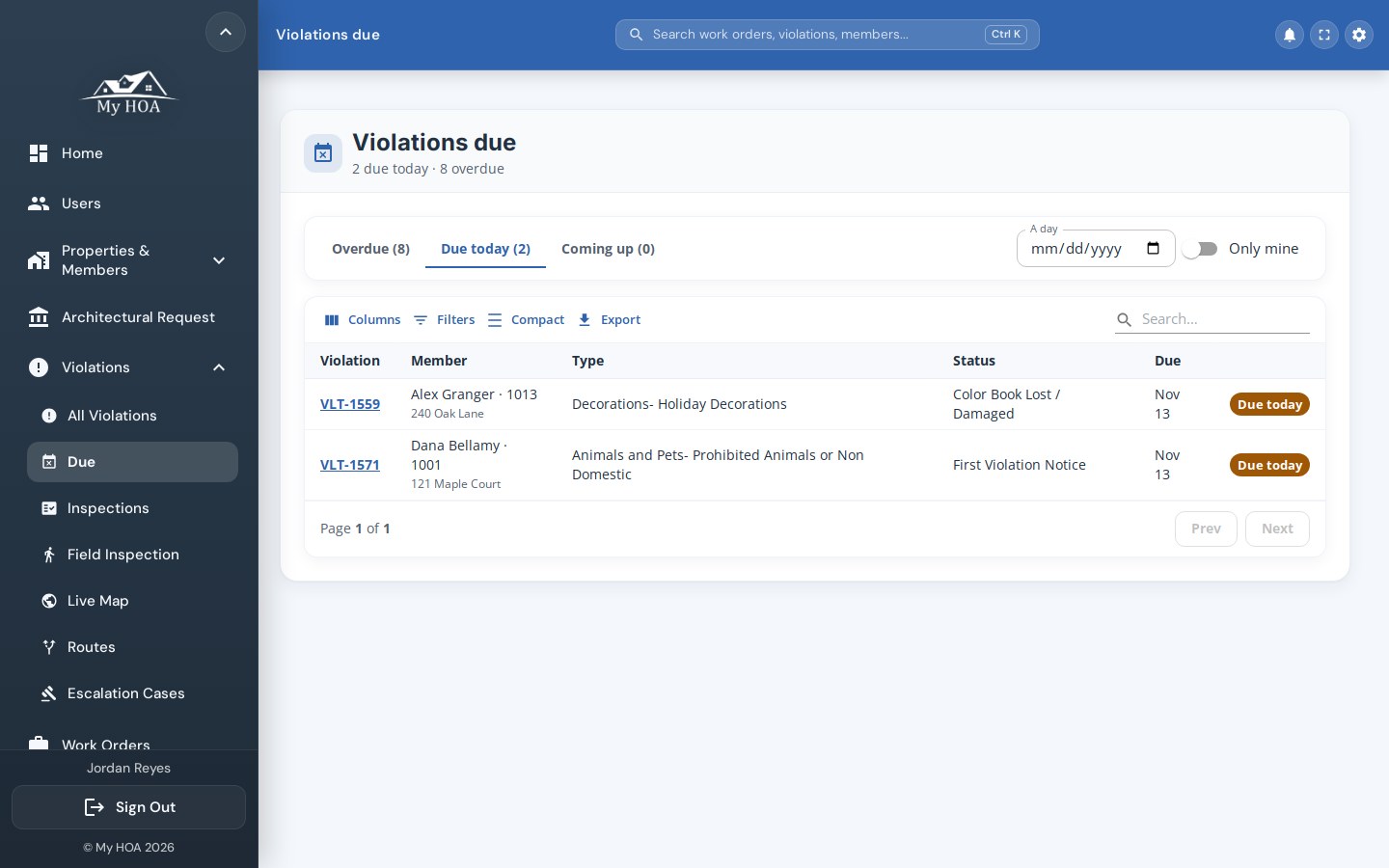
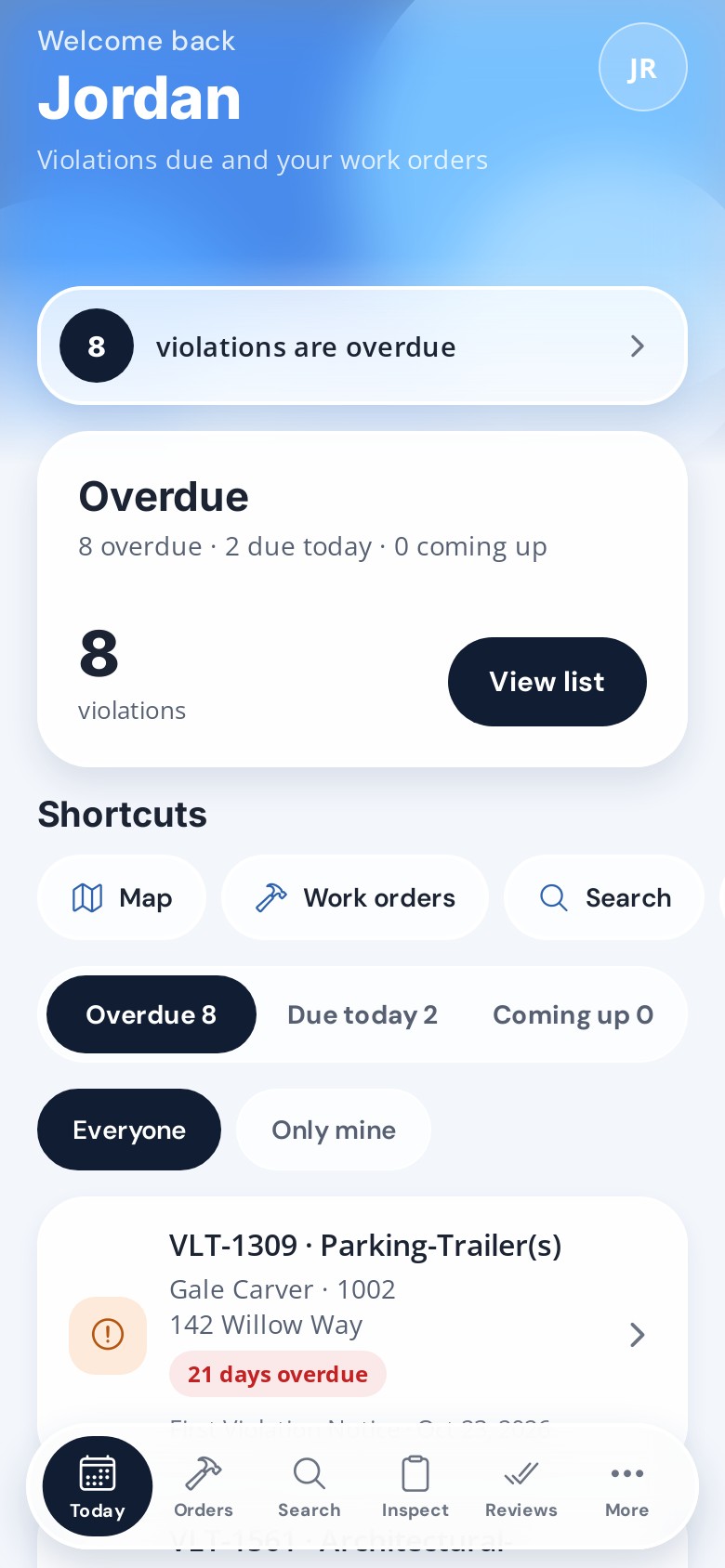
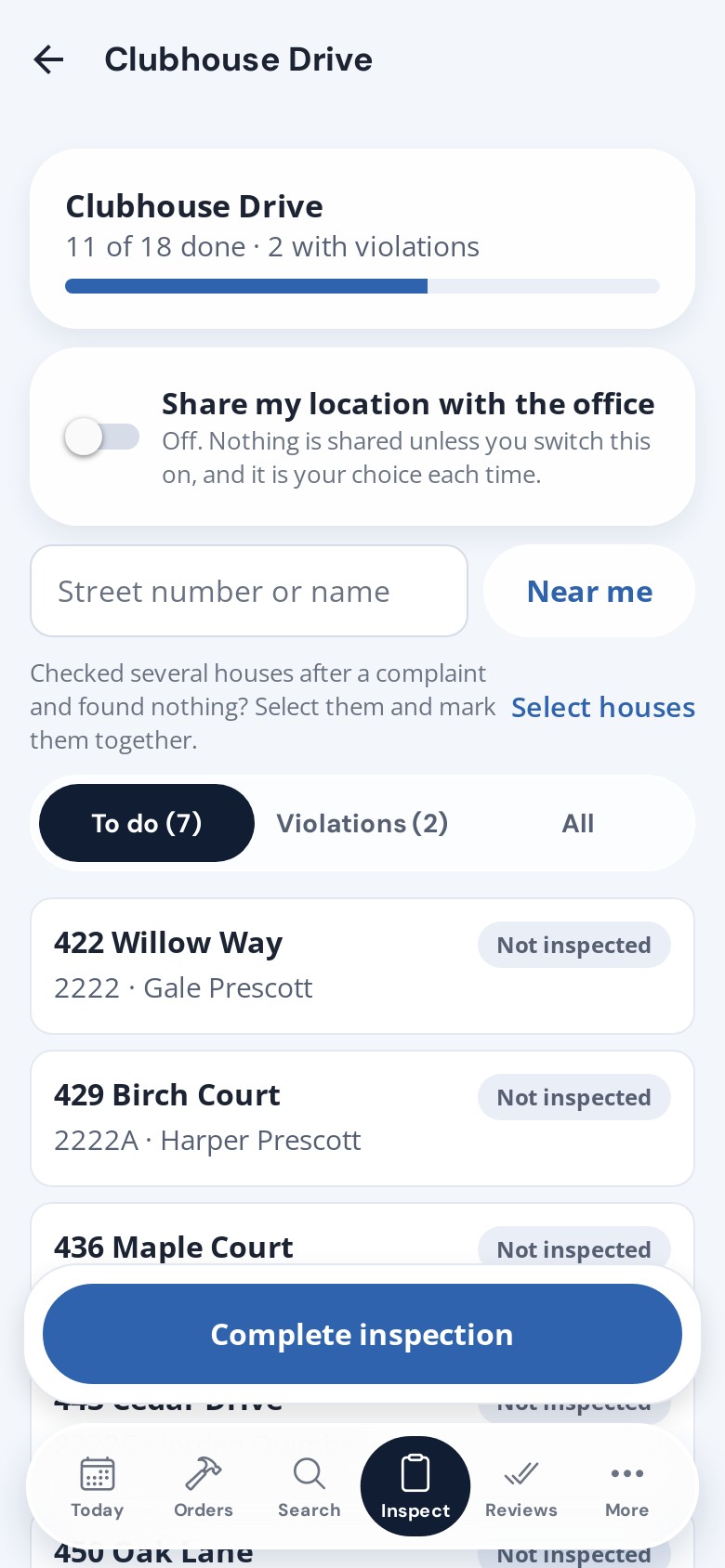
Walk the route. Record what you find.
Set up routes of properties once. An inspector starts a route on the phone, marks each home compliant or records a violation, and finishes when the round is done. The office sees the result as it happens.
- Routes of properties, or the homes nearest to where you stand
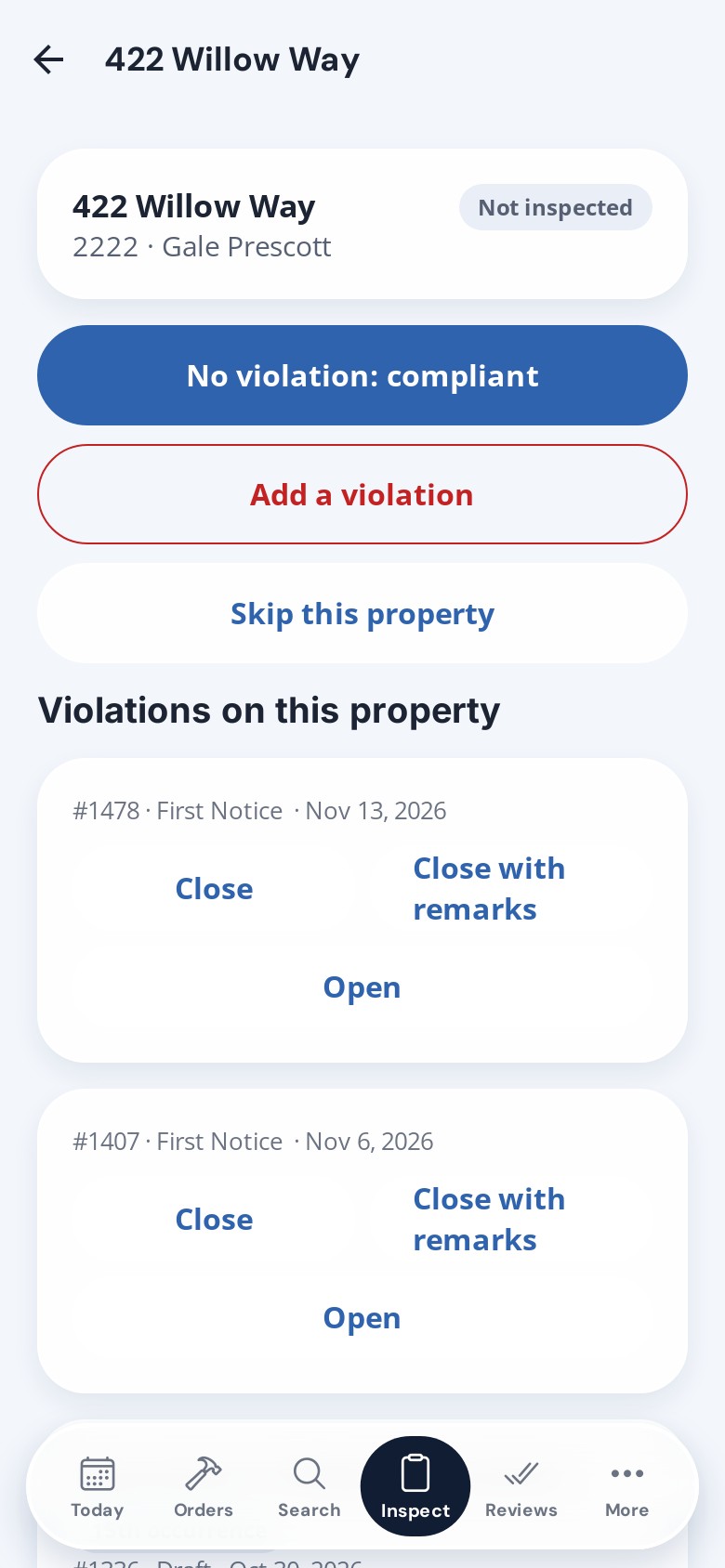
- Compliant, skip or add a violation with photos, one home at a time
- Resume an unfinished round where you left off
- A summary of every inspection: homes checked, violations found and notices
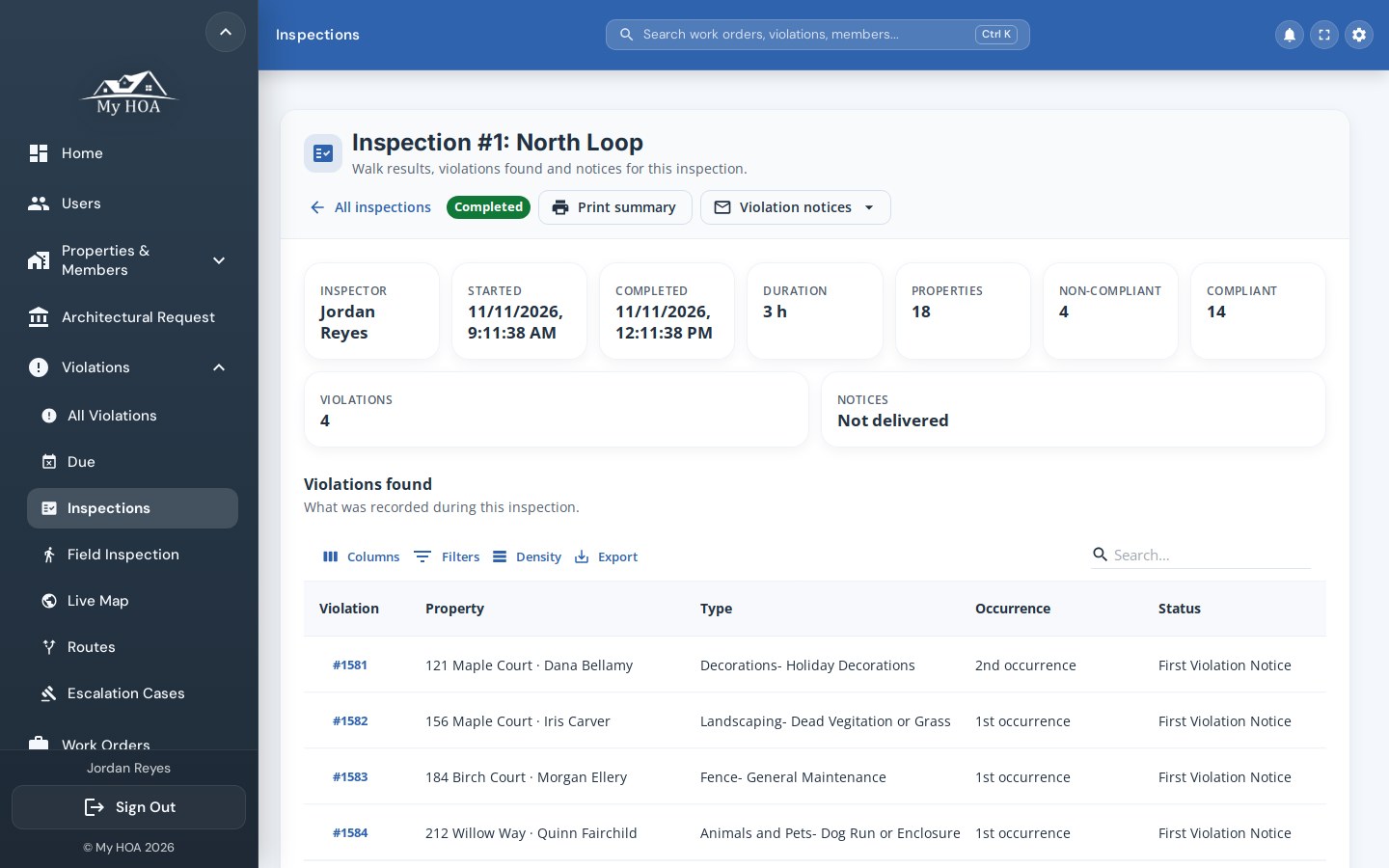
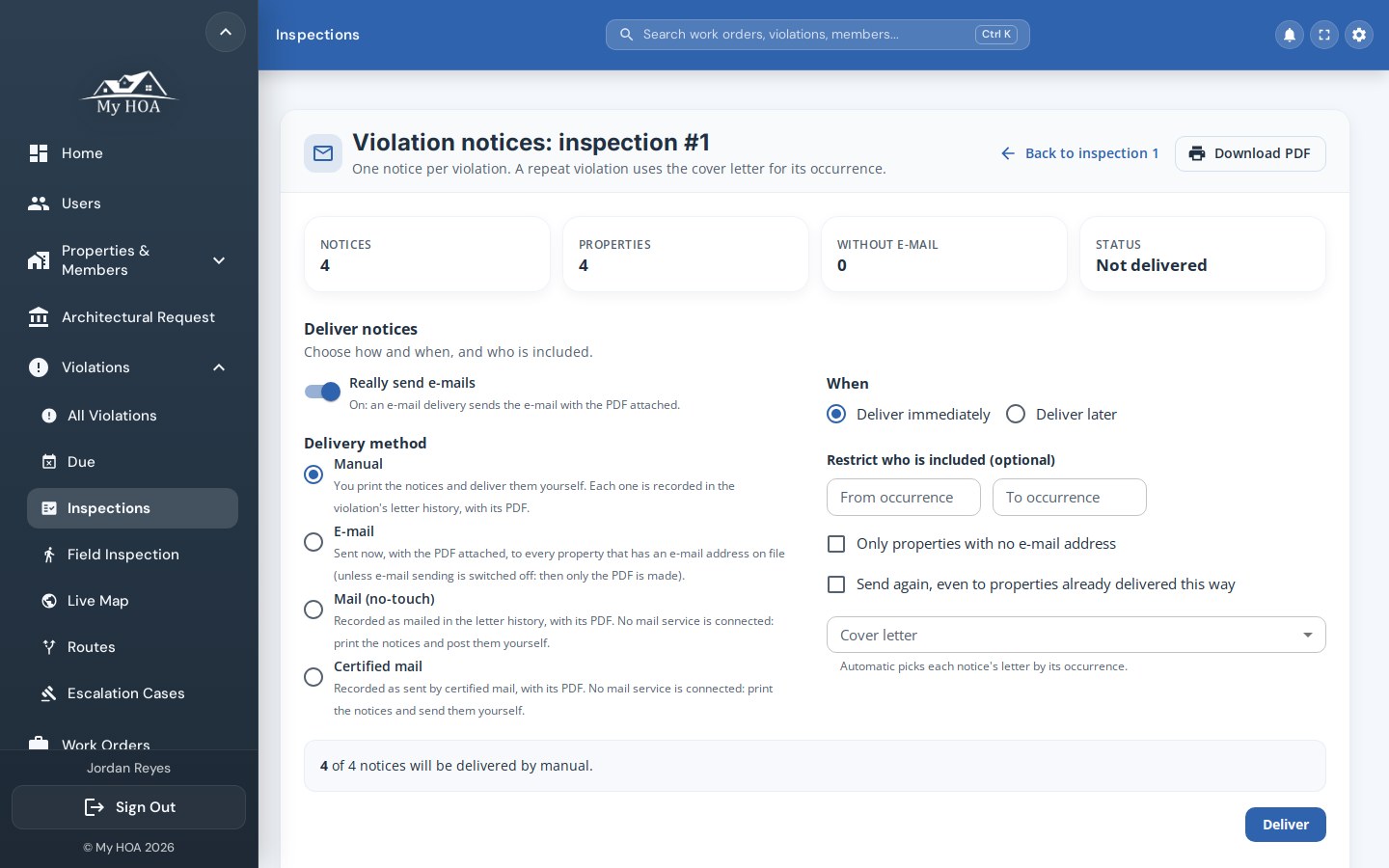
Deliver every notice from one screen.
When the round is finished, the notices for everything found are ready together. Choose how each one is delivered and send them in one step.
- One notice per violation, with a cover letter for repeat violations
- E-mail, mail or certified mail, now or later
- A record of what was delivered, when and how
- Print the summary for the board
See the whole community on one map.
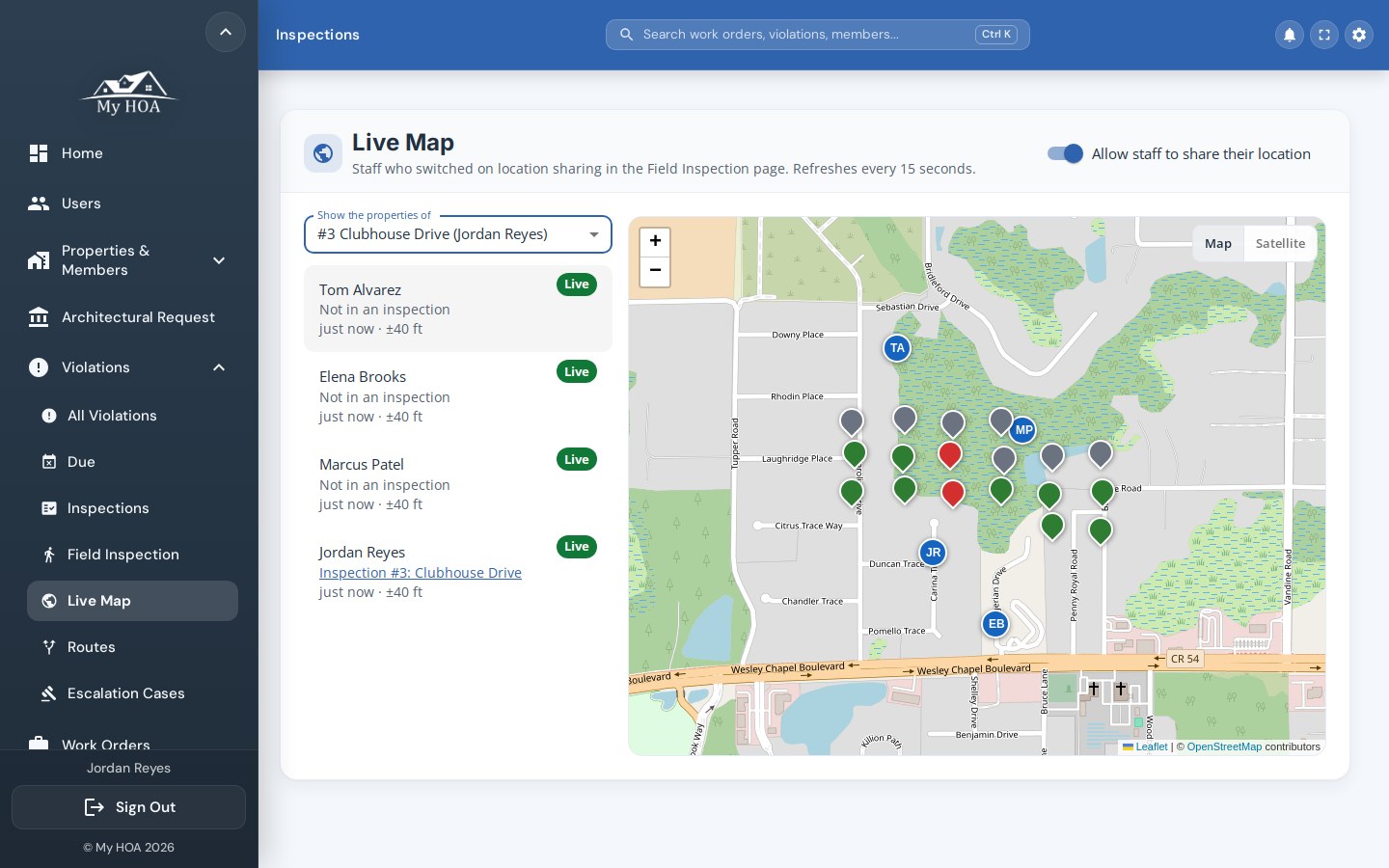
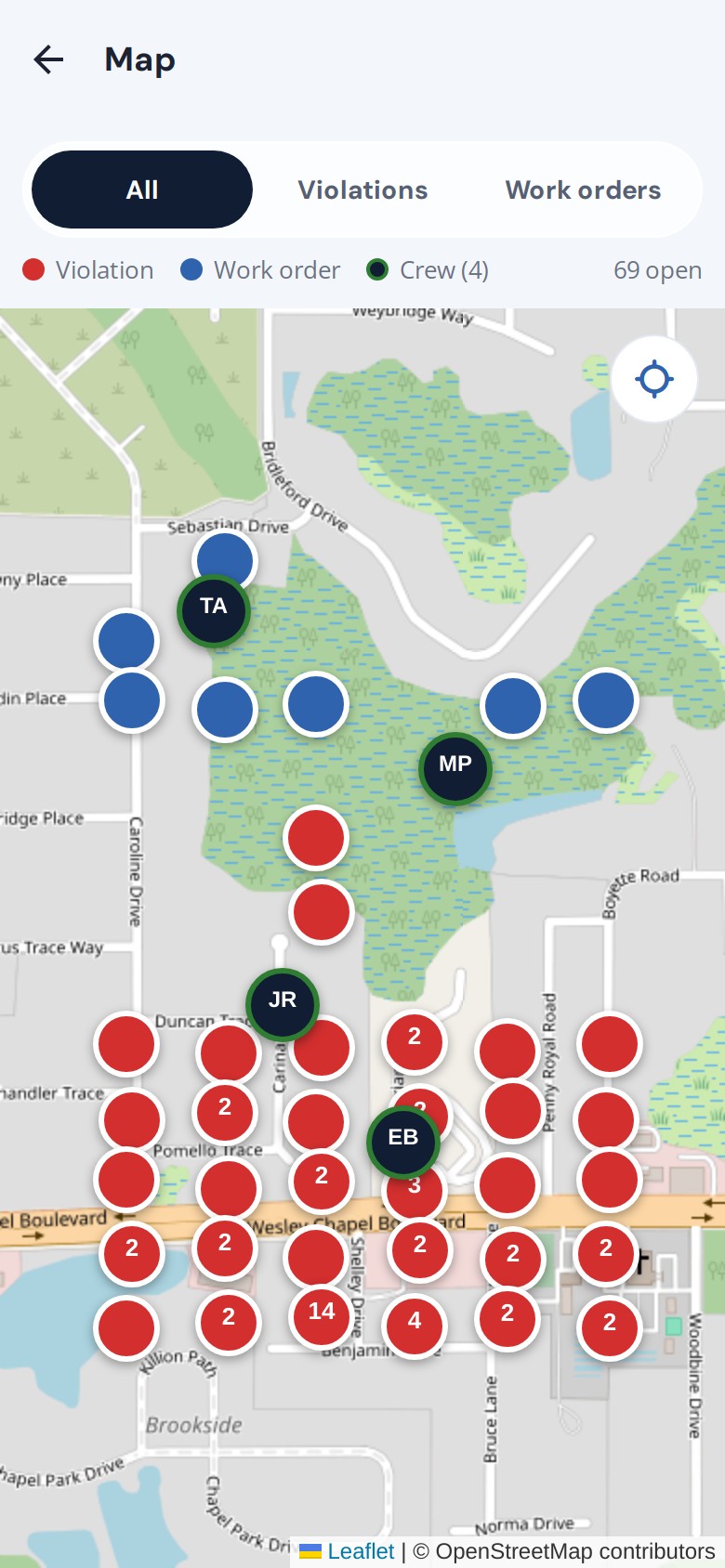
Open violations and work orders appear as pins, colored by status. On the phone you can find what is nearest to you, and the office can see which inspectors are out and where.
- Open violations and work orders on the map, with filters
- Tap a pin to open the record
- Inspectors can share their position while they work, and only if the community turns it on
- Follow an inspection round as it happens
From a photo of the problem to a finished job.
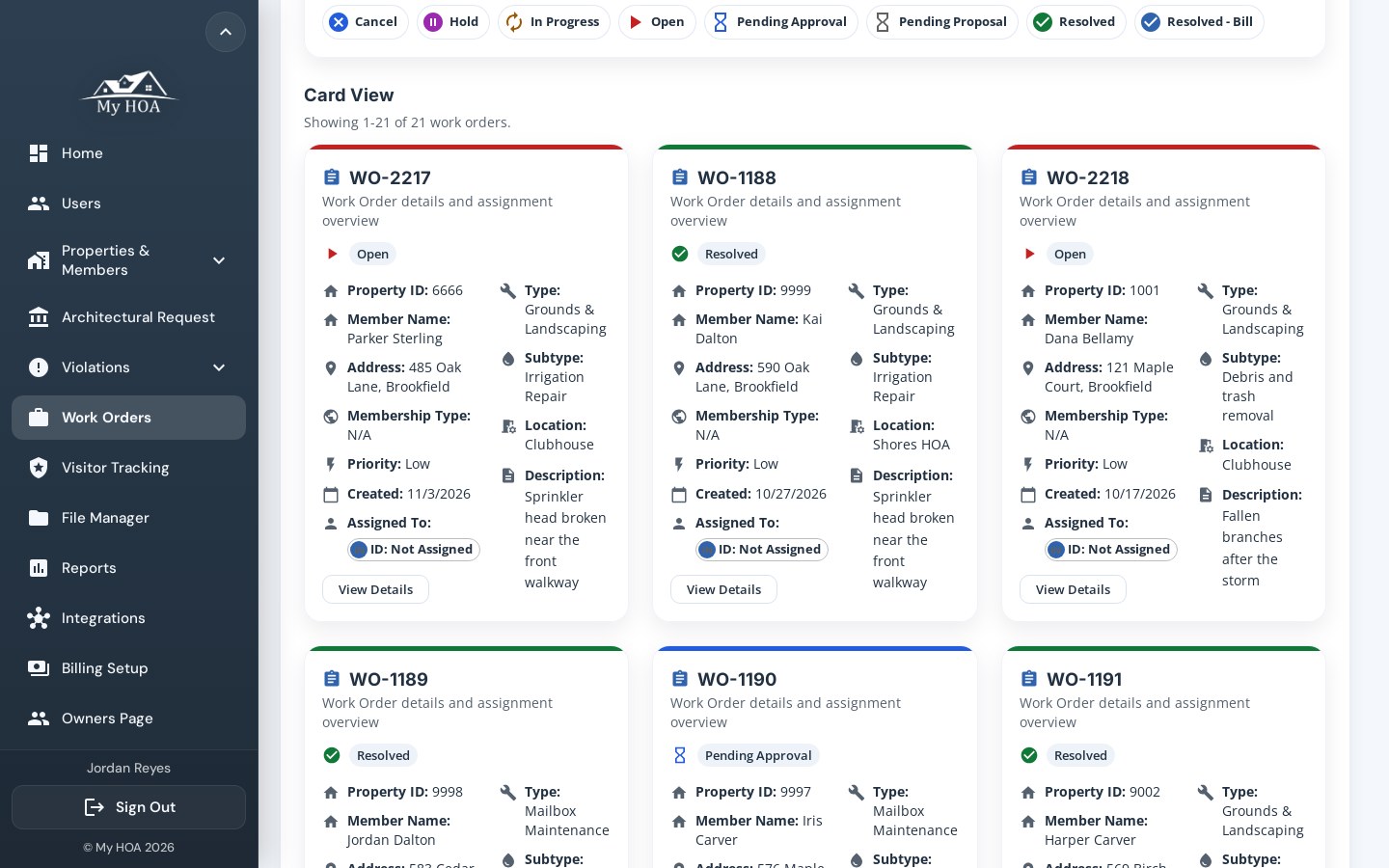
Whether it comes from an owner or from staff, every job lives in one place with its photos, comments, visits and cost. Nothing is lost between e-mails.
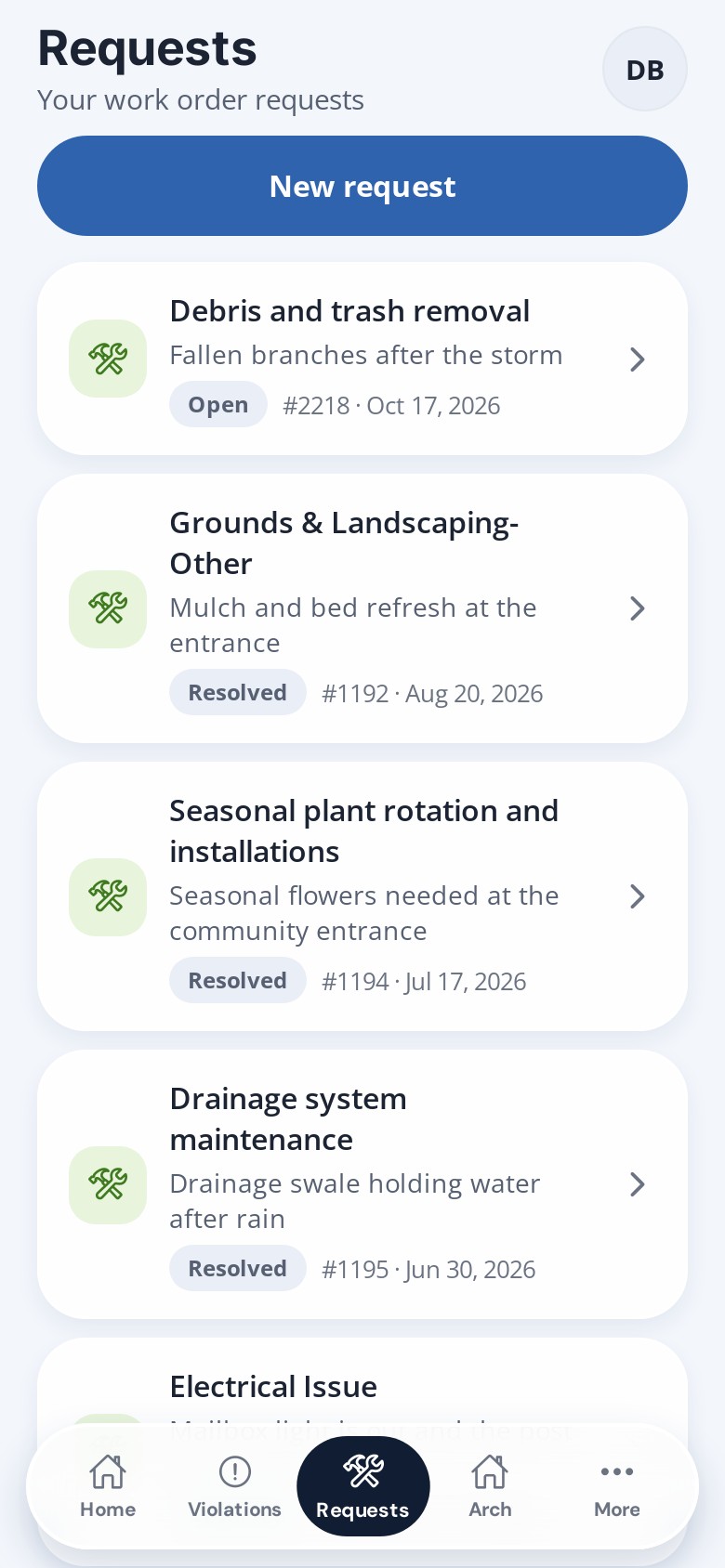
- Owners submit and follow requests from the website or the app
- Assign staff, schedule visits and keep a calendar of upcoming work
- Attach files, add materials, and send the work order by e-mail
- Reminders for what is due soon, so jobs do not sit
A review process owners can follow.
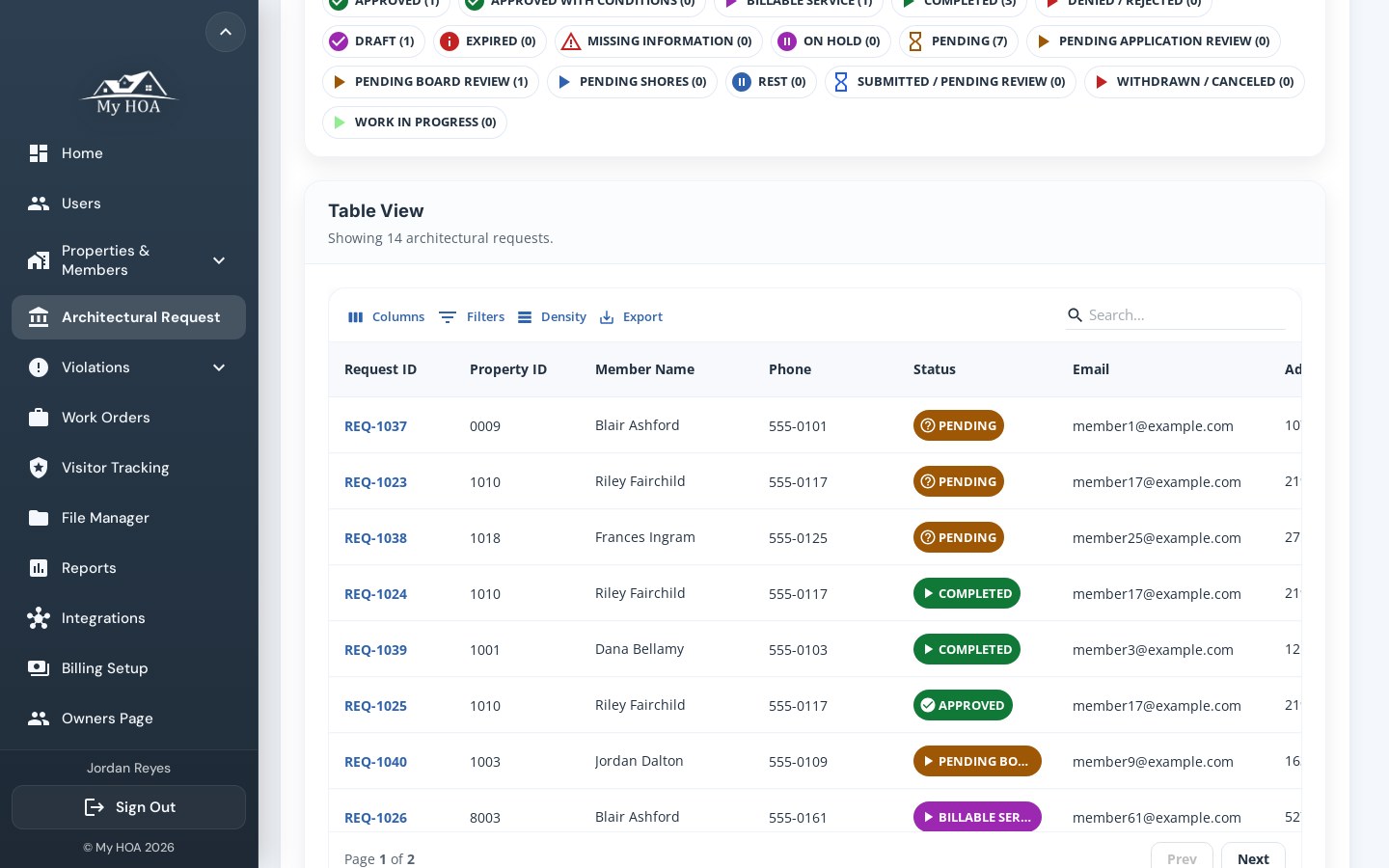
Owners fill in a short form, attach their plans and photos, and watch the request move through review. The committee asks questions and records the decision where everyone can see it.
- Required photos and forms set by your community
- Statuses and allowed steps that you control
- Questions and answers on the request, with push notifications
- The decision recorded where the owner can see it
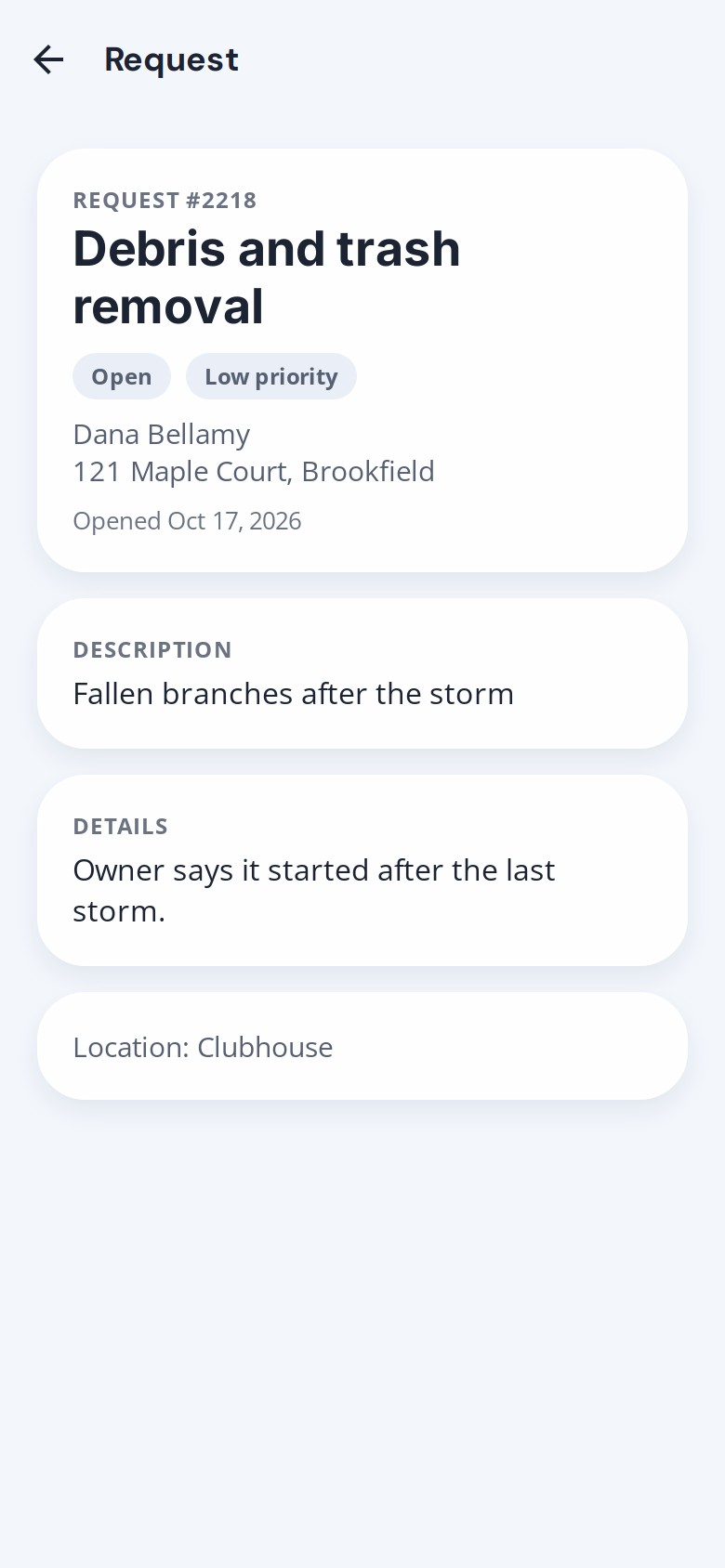
Inspect in the field. Follow along at home.
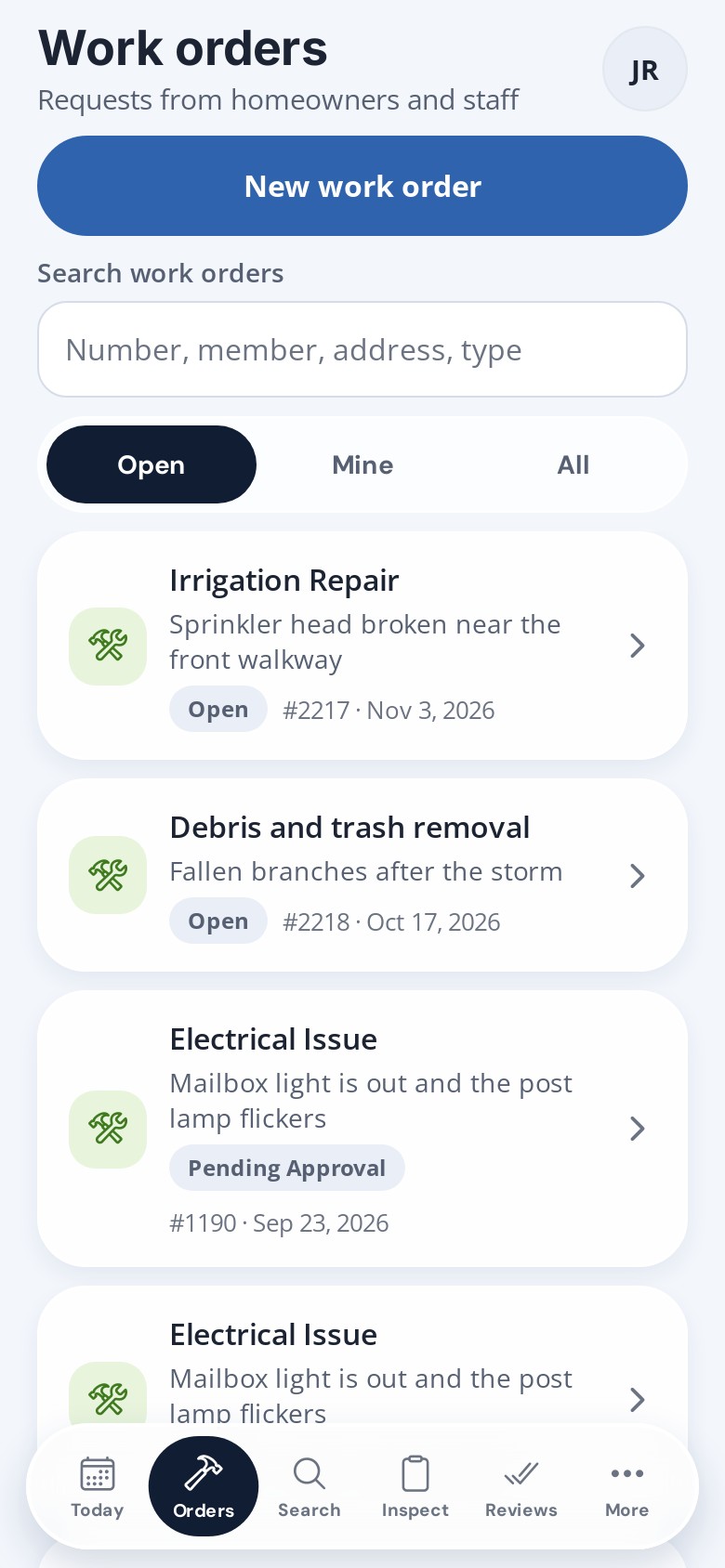
One app for owners and staff. Staff record inspections with photos, even where the signal is weak, and the entries are sent when the phone is back online. Owners see their own requests and get a notification when something changes.
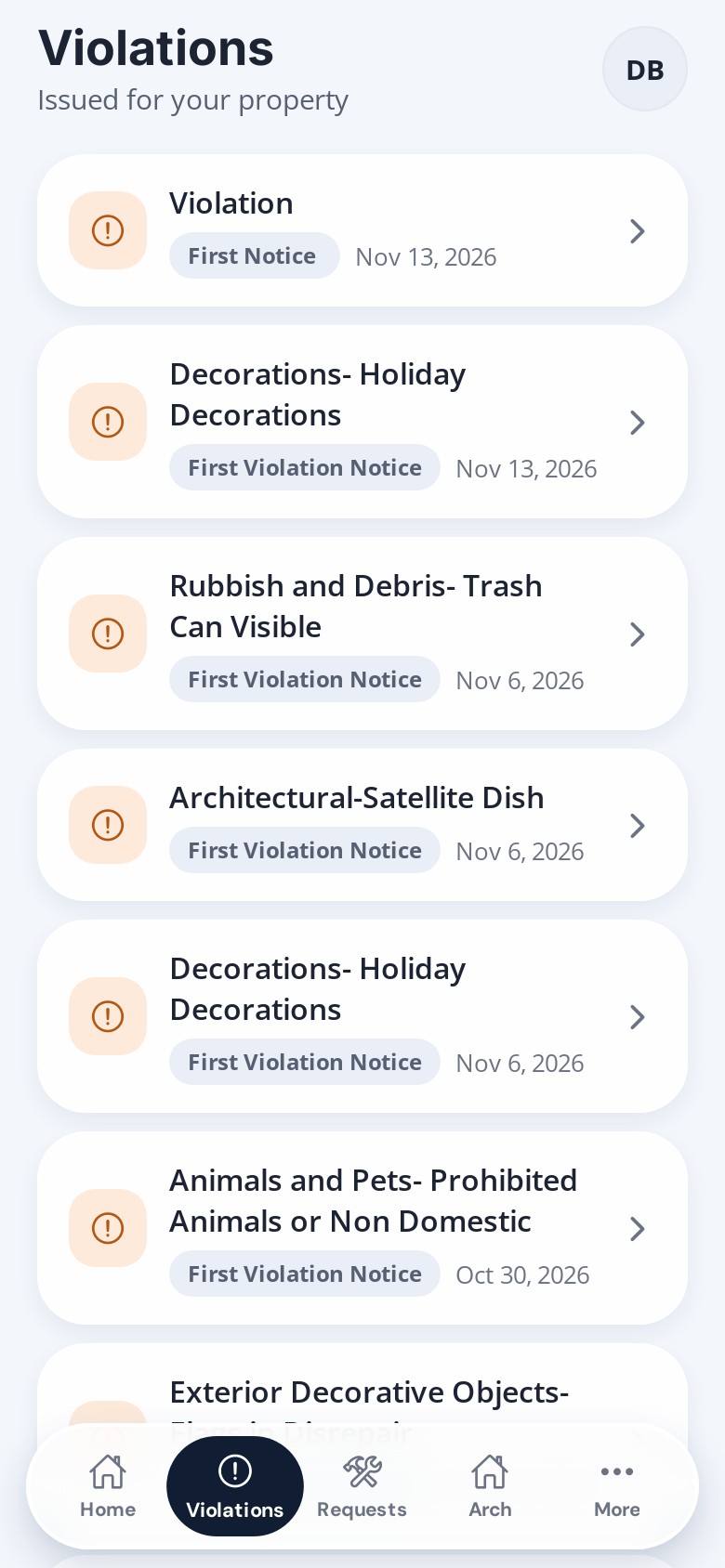
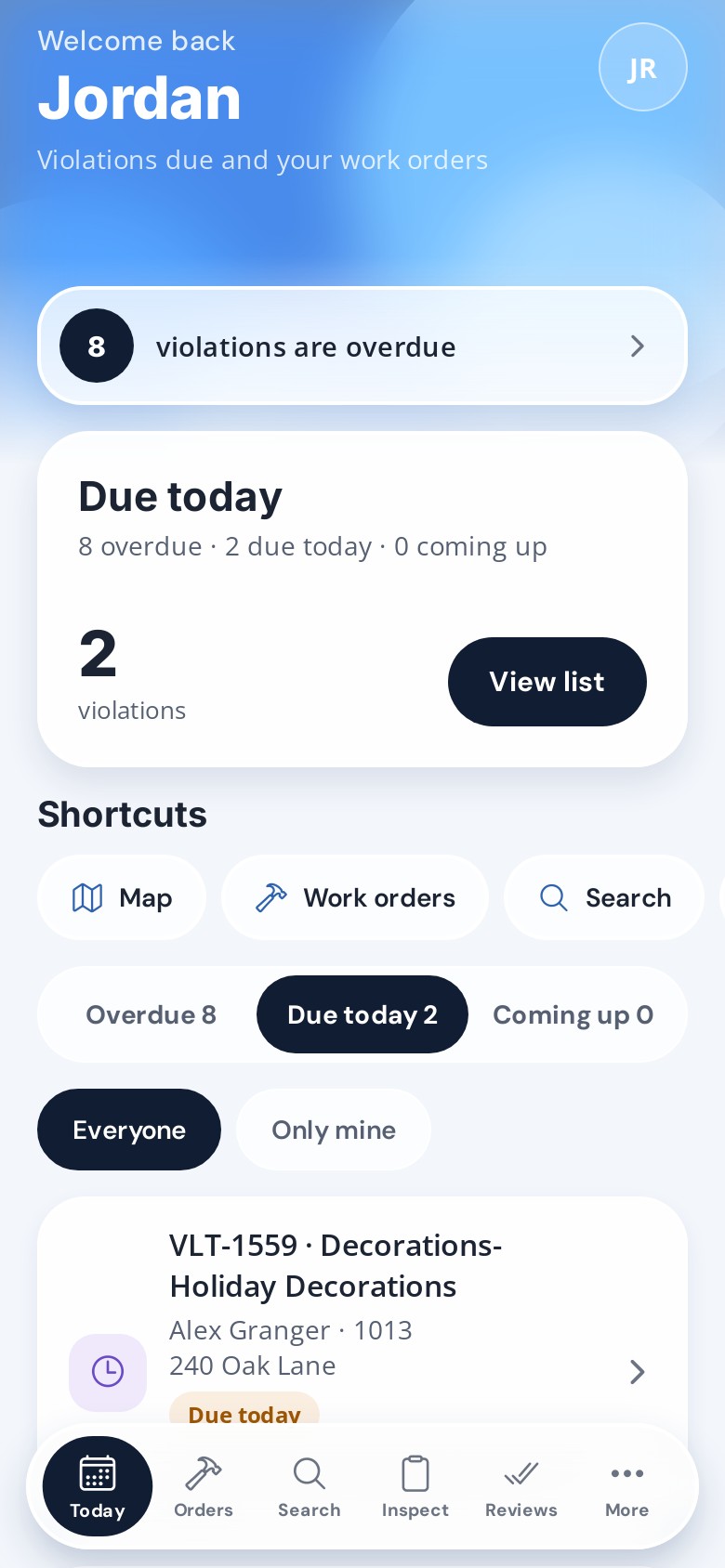
- Take photos or choose them from the phone, then swipe through them full screen
- Sort properties by distance and see the community on a map
- Open letters and attachments, then save or share them
- Sign in with Face ID or a fingerprint
Owners get their own portal, on the web and in the app.
Each owner signs in to see only their own property. They can see where everything stands without calling the office.
Everything about their property, in one place.
The owner’s dashboard shows open work orders, open violations, documents and the full activity on their account.
- Submit maintenance and architectural requests, with photos and files
- Follow every status, cure-by date and comment, and reply with a photo
- Read the community documents and rules, and vote when an election opens
- Get a notification on the phone when something changes
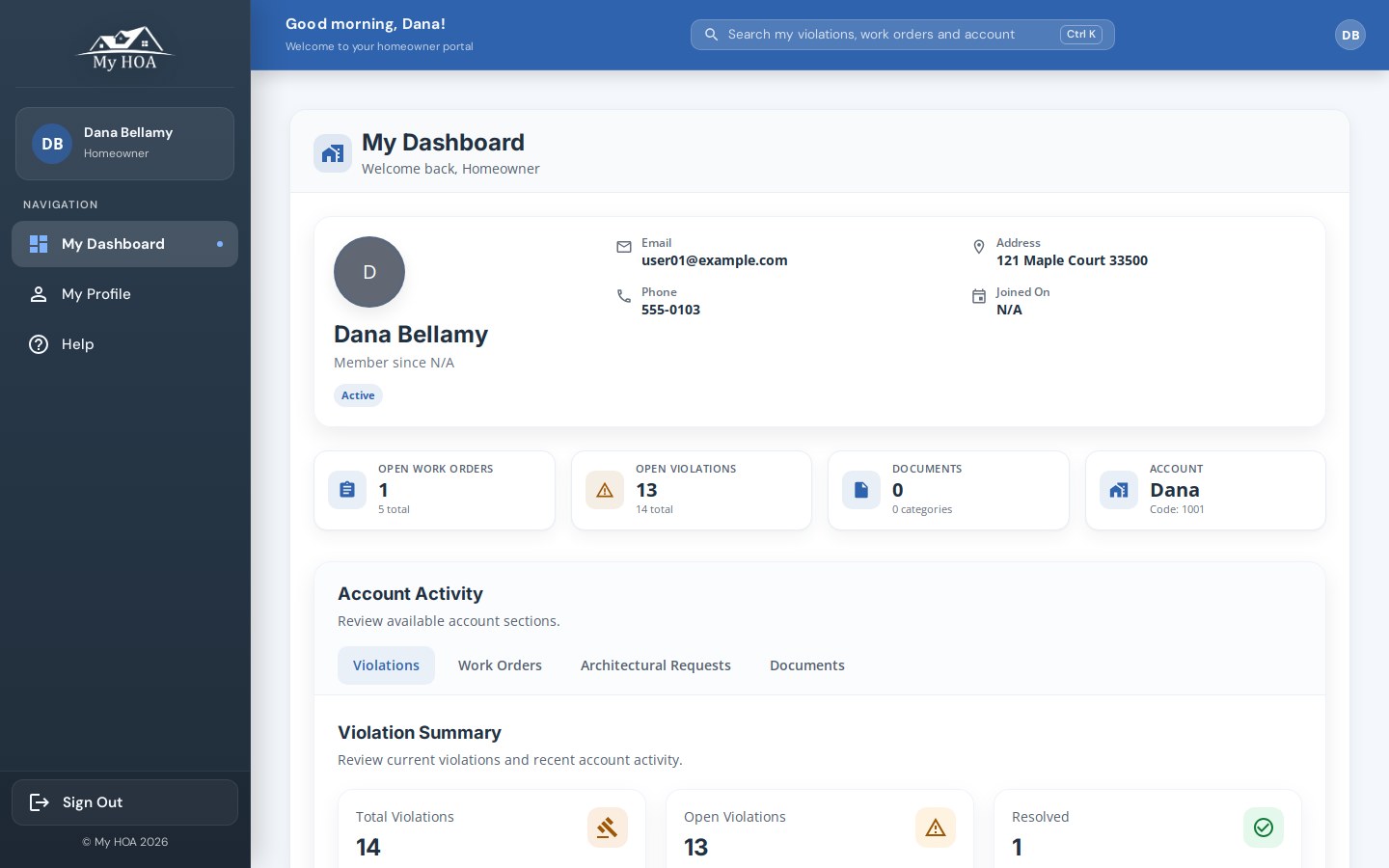
Clear for owners, private for staff.
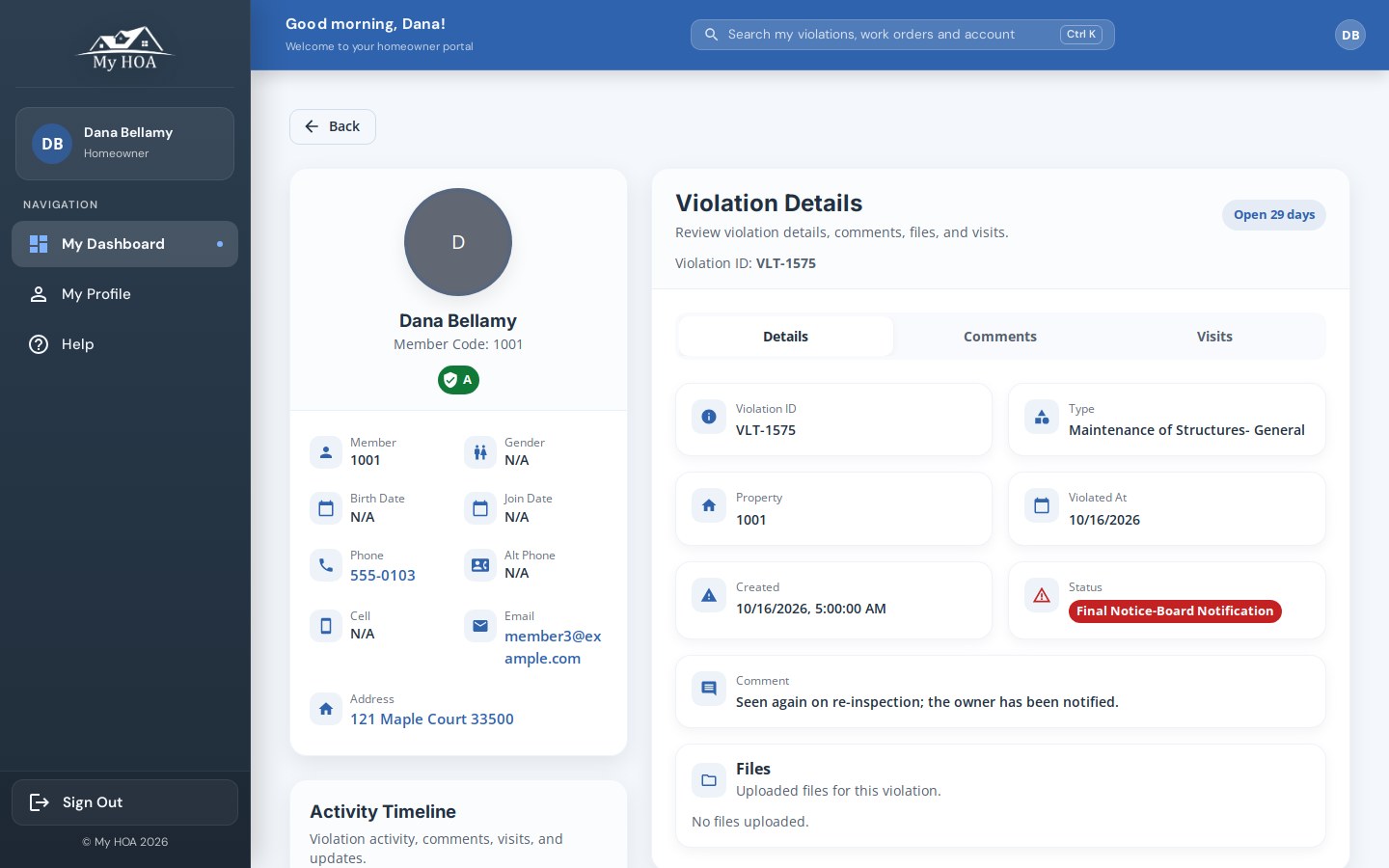
An owner’s view of a violation shows the status, the rule, the cure-by date and the files. Staff-only notes, and who a work order is assigned to, are never shown to owners.
- Status and cure-by date at a glance, in the list and in the record
- Comment back to the office from the website or the phone
- Requests listed with their status, so nothing needs a phone call
- Search shows owners only their own violations, work orders and account
The rest of the day-to-day
Gate security
Owners add guests and deliveries ahead of time. Guards check visitors in and out and look up vehicles, and staff can review the history.
Elections and ballots
Invite each member by e-mail, keep one vote per owner, and publish results when the vote closes.
Governing documents
Upload the CC&Rs and rules. If you turn on the optional assistant, owners can ask questions and staff review any suggested rule before it is used.
Materials
Track the materials used on work orders and the stock you keep, with counts and orders.
Search
One search box finds properties, owners, violations and work orders. Owners only ever find their own information.
Reports and dashboard
See what is open, what is overdue and how long things take. Filter by property, status, type or date, and export for the board.
One system, three points of view
Owners
Their own portal and app.
- See their violations and requests
- Submit requests with photos
- Get updates without calling
Staff and managers
The tools to keep up.
- Assign, schedule and follow up
- Letters, fines and billing codes
- Reports for the board
Boards and committees
The decisions and the record.
- Review architectural requests
- Run elections and ballots
- See the full history of a case
Built to keep resident information safe.
Each community’s records are kept separate, and what a person can see depends on their role. We do not sell information and the app has no advertising or tracking.
- Role-based access, with owner views kept separate from staff notes
- Authenticator-app 2-step sign-in and single sign-on for staff
- An audit trail of every change, and encrypted backups
- Camera, location and notifications are optional and explained up front
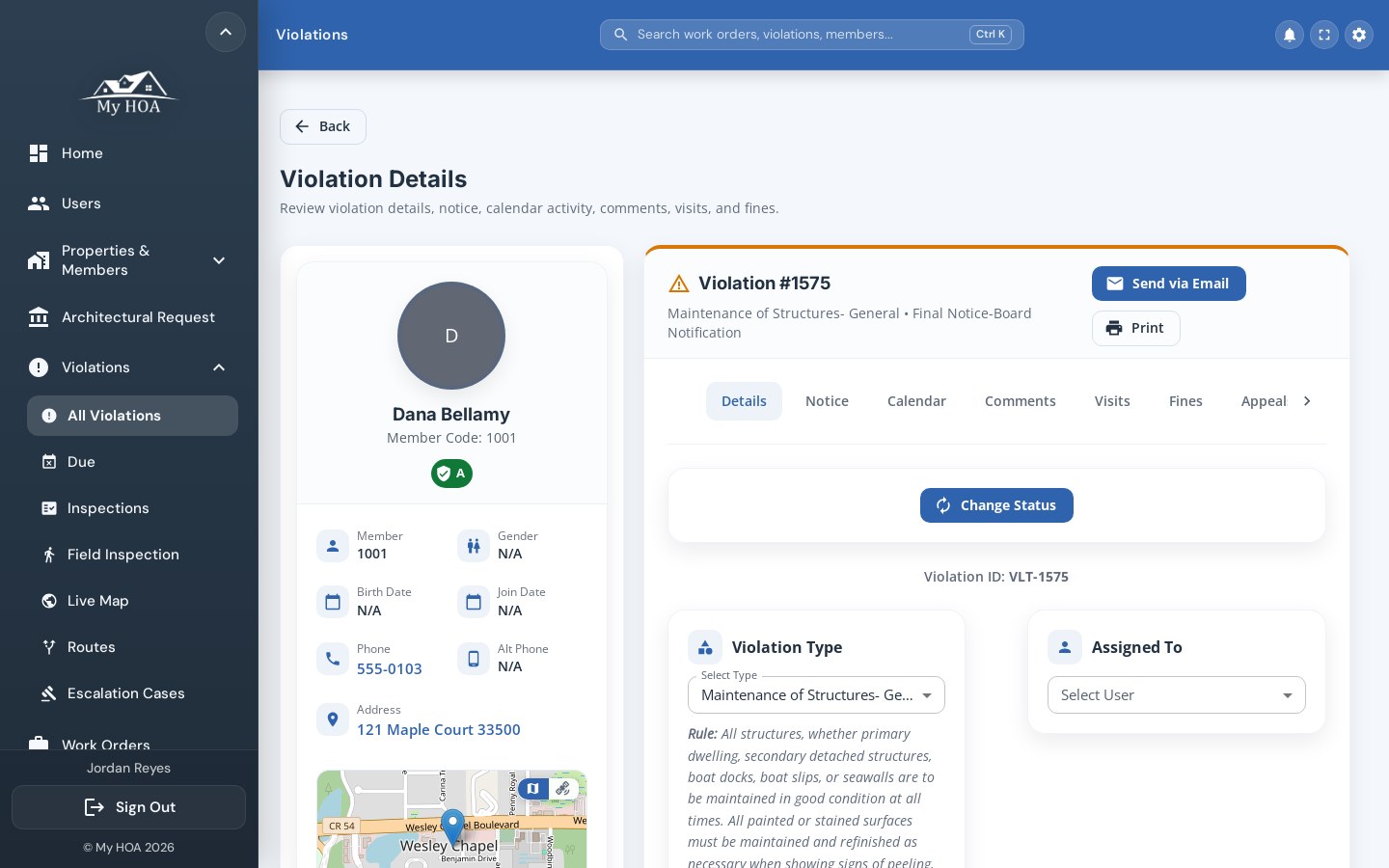
Every record keeps its own timeline.
See MyHOA with your community in mind.
Write to our sales team and tell us a little about your association. We will set up a walk-through: how requests flow, what owners see, and how it connects to your billing.
- A short call, no obligation
- We use sample data, not yours
- Questions about Jonas, billing or your current process are welcome
E-mail our sales team
Send an e-mailIt helps to include:
- Your community or management company
- About how many homes you manage
- What you use today, and what you would like to see